I built this automation for a boring reason: a form submission should not become another manual task for someone. A person fills Typeform, the information is already there, and then someone create the same card by hand on trello. After few submissions it starts feeling normal. then you look at the month and realize that the team has spent a lot of time moving information from one screen to another.
The basic Typeform to Trello connection is easy to build in Make.com. The part i care about is what happens after the first successful test. I want the card to be useful when someone opens it, I want right people to see urgent requests, I want multi-select answers to stay readable. But here I don't want my team fixing badly formatted cards all day. So I build the flow - Trello card will actually be used, not around the list of fields available in Typeform.
What I Changed From the Basic Two-Module Setup
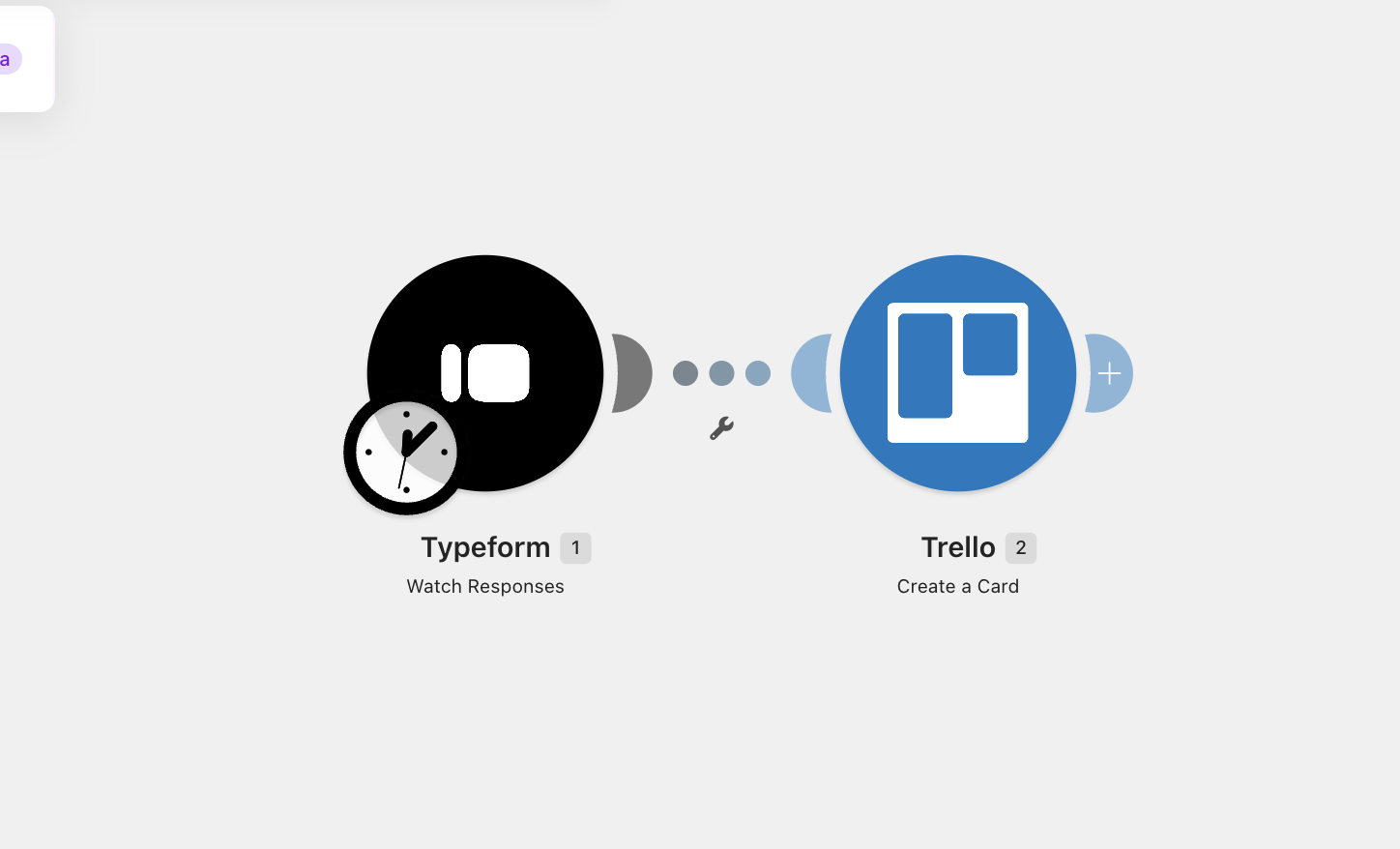
The first version of this workflow can be just two modules: Typeform > Watch Responses and Trello > Create a Card. That works for a simple intake form. I keep that version when the process is small and every response goes to the same place. For most useful intake systems, I add a little more structure. The flow becomes Typeform → clean the incoming answers → decide where the card goes → create the card with a fixed format.
That extra work happens before Trello gets the data. I found this is the better place to solve the problem because Trello should receive a finished piece of information. If the form has a full name, request type, long description, priority and a group of selected options, I don't want the person opening the card to figure out what each raw field means. The Make mapping should do that work once.
Before You Build It, Decide What the Card Is For
Trello card created from a client intake form is not same as support card. A lead card needs contact information and sales context. A support card needs the problem, device details and a clear next action. A project request needs scope, deadline and ownership.
I use one rule here: the person opening the Trello card should understand the request without opening Typeform. That means the card title needs to identify the work, and the description needs to contain the useful context in a fixed order. Trello cards support a name, description, labels, members and due dates, so there is enough room to turn a form response into a real work item instead of a text dump.
The Form Structure I Recommend
For a client or service request form, I usually keep the useful fields close to this: Full Name, Email, Request Type, Priority, Project Details, Deadline, and any extra information that helps the person doing the work. I avoid collecting information just because Typeform lets me add another question. Every field has to help the next person make a decision.
For example, a question called “Tell us anything else” can produce a huge block of text that is hard to work with. A better form asks for the information the team actually needs. That gives Make cleaner data too. Good automation starts with a good input form.
Build the Make Scenario
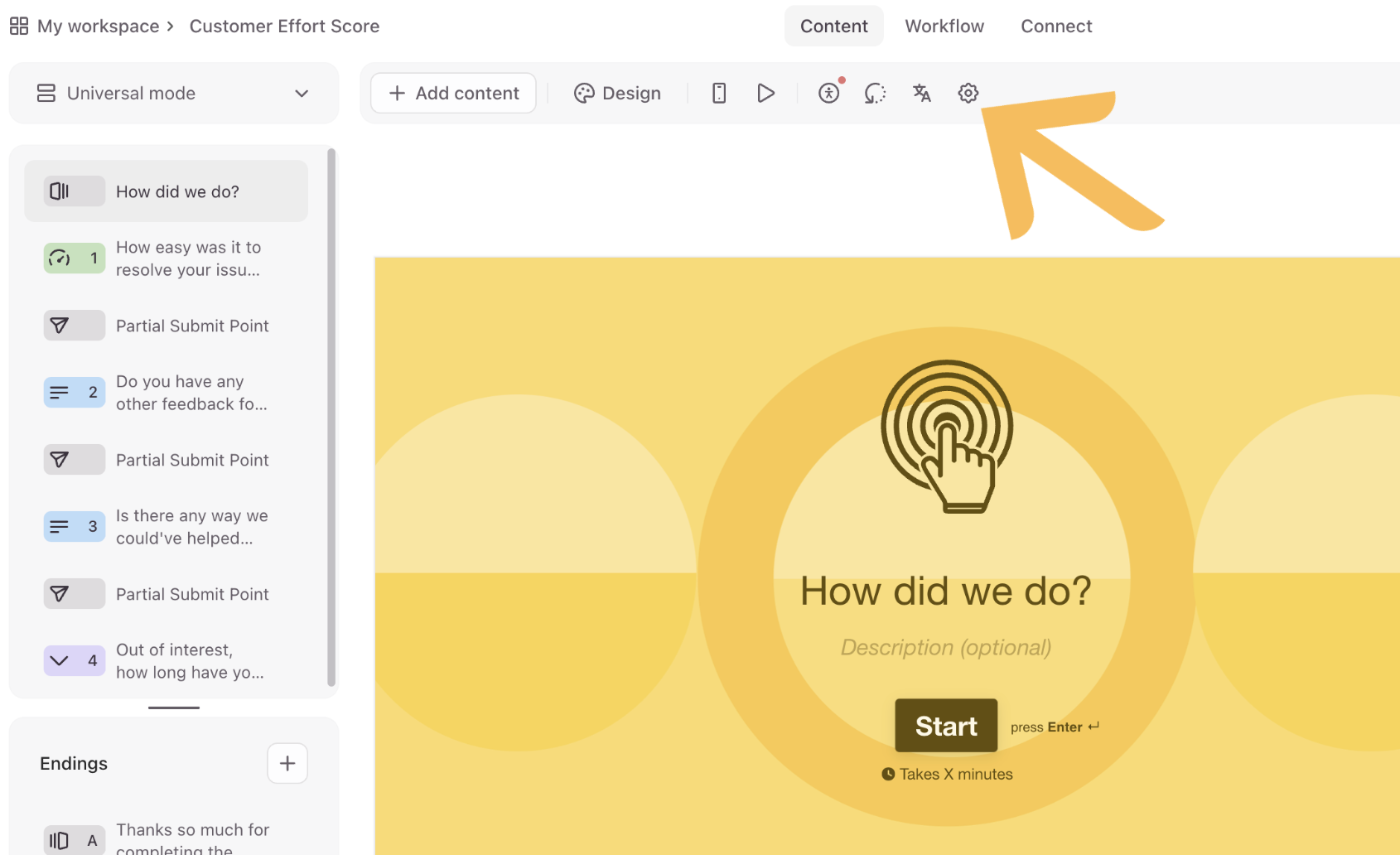
Open Make and create a new scenario. Add Typeform and choose the response trigger available in your account. Make describes “Watch” modules as polling triggers. They check the connected service on a schedule and return new bundles when data is available.
Connect Typeform, select your form, and save it. Then submit one real test response. I always do this before mapping the Trello module. The sample response gives Make the actual shape of the answers coming from your form. This matters with long text, multiple choice fields and date fields because the mapper needs to see the data structure before you can build the card properly.
After the test response arrives, click the output bubble on the Typeform module and inspect what came through. Don't rush this part. Look at the exact field names, the values and the way the multi-select answers are returned. Two forms can look almost identical in Typeform and still produce different data structures in Make.
Connect Trello and Create One Clean Card
Add the Trello module and choose Create a Card. Select the board and the list where the new card should go. Trello's card API supports the card name, description, due date, members and labels, so the Make module can pass much more than a title into Trello.
For the card name, I like something that can be understood in the Trello board without opening the card. A client intake might use:
{{Full Name}} — {{Request Type}}
That gives you names such as “Sarah Chen — Website Update.” For support requests I use the issue first, followed by the customer, because the issue is what the team needs to see while scanning the board.
Build the Description Like a Small Brief
This is the part I spend extra time on because it saves work later. I don't paste answers into the description in the same order they appeared in the form. I group them by use. The person reading the card usually needs identity first, then the request, then the details, then the deadline.
Name: {{Full Name}}
Email: {{Email}}
Request: {{Request Type}}
Priority: {{Priority}}
Deadline: {{Deadline}}

Details:
{{Project Details}}
That format looks boring in the Make editor. It looks much better in Trello. More important, the card can be scanned quickly. I also keep labels and the due date outside the description because Trello already gives those fields their own behaviour.
Multi-Select Fields Need Cleaning
This is one of the small things that makes an automation feel bad if you skip it. Typeform can return multiple selected choices as a list. If you pass that raw list into another app, the result can be harder to read than the original form answer.
I convert the selected values into one readable line with Make's join() function. The exact mapping depends on the field returned by your Typeform module, but the idea is:
{{join(Selected Options; ", ")}}
The result becomes “Website, SEO, Analytics” instead of a raw array structure. I use the same idea for support categories, requested services, event preferences or any other multi-select field. It is a small transformation, but it removes one more piece of cleanup from the Trello side.
Don't Send Every Form Question Into Trello
This is a mistake I see in many automation builds. A form has 15 questions, so the card gets 15 answers. The automation looks complete and the Trello card becomes harder to read.
I keep the questions in three groups: information the person needs immediately, information that helps the next action, and information that can stay in Typeform. The first two groups belong in the card. The third group can stay in the form response. This keeps the board useful after the automation has been running for months.
Polling or Webhook? Pick It From the Work
The default Typeform watch trigger uses polling. That means Make checks for new responses as per the schedule of scenario. Make's default schedule is every 15 minutes..but you can change the interval in Schedule settings.
That schedule also gives you a useful cost calculation. A trigger checking every 15 minutes performs.. thats 96 checks per day - which is about 2,880 checks in a 30-day month before counting remaining. At every 5 minutes the same trigger reaches 288 checks per day, or about 8,640 checks in 30 days. Make has moved its billing terminology from operations to credits... Module runs are still used to measure activity and most standard app operations use one credit per operation.
So I don't run a five-minute schedule just because five minutes sounds fast. If a request can wait ten or fifteen minutes, polling is fine. If the card needs to appear as soon as the form is submitted, I use a webhook.
Use a Webhook for Fast Intake
Make's Custom Webhook module creates a URL that can receive data and trigger the scenario. Webhook-triggered scenarios can run immediately after data arrives, and Make keeps incoming requests in a queue while they are waiting to be processed.
For Typeform, open the form's webhook settings and add the Make webhook URL. Then send a test payload. Back in Make, let the Custom Webhook module determine the data structure and inspect the result. After that, the Trello part works the same way.
I prefer the webhook route for lead forms, support forms and paid service requests because the value of the automation is tied to speed. A new request sitting in Typeform for 15 minutes is already old information for a person waiting for a response.
The First Test I Run Is Not “Did a Card Appear?”
I test the card itself. I submit a response with short name, long description, multiple choices, a date + highest priority. after that I look at the Trello card as if I am the person who has to work on it.
Can I understand the request from the title? Can I see the important details without scrolling through a messy block of text? Can I spot the deadline? Did the multi-select answer turn into readable text? Did the right label appear? Did the card land in the right list?
Then I submit a second response with missing optional information. This catches another common problem. A form often looks complete during development because the test data has every field filled. Real users leave optional answers empty. Your mapping needs to handle that cleanly.
Use a Test Matrix Instead of One Test Submission
For a real build, I use a small test set before activating the scenario. It does not need to be huge. Around 10 to 20 responses is enough to expose most mapping problems in a small intake workflow.
- Normal request with every field filled
- Request with optional fields empty
- Long text response
- Multiple selected options
- High-priority request
- Request with a due date
- Request without a due date
- Unexpected text in a free-form answer
- Two submissions from the same person
- Rapid submissions close together
The point is not to make the test complicated. The point is to check the places where the data shape changes. Most basic tutorials test one perfect response and stop there. That is why the automation often looks good in the demo and messy in production.
Add Routing When One Queue Stops Making Sense
The first version sends every submission to one Trello list. That is fine while the volume is low. I add a Router when the answer in the form already tells me where the work belongs.
For example, a Priority field can send High submissions to an Urgent list while Medium and Low requests stay in the normal queue. Another useful route is Request Type. Website work can go to one board while support requests go to another.
The important part is to route on information the person filling out the form already knows. I don't add a router just because Make has one. If the team still needs a human to decide the destination, I keep one intake list and let a person triage it.
My Rule for Labels and Lists
I use lists for workflow state and labels for meaning. A list might be “New,” “In Progress” and “Done.” A label might be “VIP,” “Support,” “High Priority” or “Website.” That keeps the board easier to understand.
If I start putting every category into lists, the board grows sideways and becomes harder to manage. If I put every workflow state into labels, people lose the visual flow that makes Trello useful in the first place.
Due Dates Need a Real Rule
I don't copy a submitted date into Trello just because the form contains one. I first decide what that date means. A client might enter the date they would like the work finished. That is different from an internal due date.
If the form date really is the team's due date, map it to Trello's due field. Trello's card API accepts a due date and uses a structured date value, so the Make mapping needs to send a valid date rather than whatever text the user happened to enter.
For support forms, I sometimes calculate an internal target from the submission time instead. For example, a standard request can get one working day while a high-priority request gets a shorter target. That rule belongs in Make because the user should not have to calculate it in the form.
One Problem You Need to Think About: Duplicate Cards
A simple Typeform-to-Trello flow creates a new card for every response. That is correct for normal intake. It becomes a problem when someone submits the same request twice by mistake.
I don't try to solve every possible duplicate with a complicated search. I first ask what the form can give me that uniquely identifies the request. An email address alone is not enough because the same person can submit multiple legitimate requests. A form response ID is much more useful because it identifies the submission itself.
If duplicate protection matters for your workflow, store the Typeform response ID on the Trello card, preferably in a consistent place such as a custom field or the card description. Then a later version of the automation can search for that ID before creating another card. This adds another Make step, so I only use it when duplicate submissions have a real cost.
What I Do With Errors
I don't leave the workflow with one red error message and hope I notice it. Make has execution history and error-handling tools, so I use the history to check the first few live runs and I save the error details for anything that needs manual attention. Make's current documentation also shows operations and credits separately, which makes it easier to see what each module is doing during a run.
The common errors are easy to recognize. A Trello connection can expire. A list can be deleted. A Typeform field can be renamed. A date can come through in a format the Trello module does not accept. A router filter can stop matching after someone changes the wording of a form option.
This is why I keep the form answers that drive routing stable. If the form sends “High” today and someone changes the answer to “Urgent” next month, the Make filter looking for High stops sending those requests down the intended route.
Keep the Mapping Stable
Form edits are one of the easiest ways to break a working automation. Adding a new optional question is usually fine. Changing the meaning of an existing answer is where I pay attention.
For example, a Priority question with Low, Medium and High works well. If someone later changes High to Urgent, the Trello label logic and router filters need to change too. The automation does not know that those two words mean the same thing to the team.
I keep the important routing values documented in the Make scenario itself. A short note beside the router is enough. It saves time when someone else opens the workflow three months later.
What the Final Workflow Looks Like
For a small form, the finished flow can stay compact:
Typeform
   ↓
Clean / Format fields
   ↓
Router if needed
   ↓
Trello → Create a Card
   ↓
Optional label / member / follow-up action
For a webhook setup, replace the Typeform polling trigger with Make's Custom Webhook. Make processes incoming webhook requests immediately by default, and its webhook settings also let you control processing behaviour when request order matters.
I don't add extra modules just to make the diagram look advanced. The cleanest automation is the one where each module has a job the person using the system can explain.
When This Setup Is a Good Fit
This setup works well for client intake, support requests, lead qualification, event registrations, content requests and internal work requests. The common pattern is simple: a person submits structured information and the team needs that information to become a Trello task.
I keep the workflow small when submissions are low and the team can handle everything in one queue. I add routing when different types of work have different owners or deadlines. I switch to a webhook when response speed matters. I add duplicate protection when a duplicate card creates real work or money problems.
When I Would Use Something Else
I don't use Trello as the final destination for every form. If the form is collecting data for reporting, a database is usually a better home. If the team needs a full CRM, putting every lead into Trello can create another system to maintain. If the process needs approvals, payments, customer history and detailed reporting, the form-to-card flow is only one small part of the system.
Trello is useful when the next step after the submission is work. The card is the handoff. That is where this automation makes sense.
What Saves Time?
Creating the card automatically is easy part. Main part is creating a card that team can use immediately. A clean title tells me what the work is. A fixed description gives me the context. A label tells me what kind of work it is. A due date tells when it matters. A router puts it for the right person.
That is why I spend more time on field mapping. The Make modules can be connected in a few minutes. The quality of the information inside the card determines how much manual work the automation removes.
Build the two-module version first. Send a few real test responses through it. Then improve parts that cause people to stop and ask questions. Add the webhook when you want fast delivery. Add routing when one queue becomes too broad. Add duplicate checks when duplicates become a real problem. Keep workflow small until the work gives you a reason to add another step.