A workflow can run perfectly for weeks and then fail because one API is slow. sometimes it fail beacuse one customer field is empty, connection lost, or service sends a response your mapping was never built to handle. The hard part is not adding an error handler... It's thinking what workflow should I do after failure.
That is how I approach error handling now. I dont put the same handler on module and hope for the best. I first decide what I want to do with data, then I build the route around it. For a API problem, I want the same data to try again. For bad input, I want record separated and the main flow protected. For an expired connection, I want an alert because retrying the same request will not fix it. This guide shows the setup I use for these kind of thinking... i also told Make features that support it.
Let's Start With the Data

When a module fails, the first question I ask is "What happens to this piece of data if I stop here?" A failed newsletter log can probably wait. but missed lead, paid order, support ticket, or invoice needs a recovery path.
I keep 3 solution in mind for every module. The data can be retried, the data can be rerouted for manual handling, or the workflow can stop because the problem needs a person. Make gives you the tools for all three. Its current error handlers include Skip, Retry, Resume, Commit, and Rollback. Incomplete executions can store failed work for later recovery.
This is the part I see people miss. An error handler is not a universal "fix errors" switch. It is a decision about what should happen to one failed bundle.
The Error Types I Check First
I group failures into four buckets because each one needs a different response.
1. Temporary service failure
The workflow reached the service and the service did not respond properly. Timeouts, some 5xx responses and rate-limit problems can fall into this group. I treat these as retry candidates. Make has a Retry error handler for this kind of recovery, and incomplete executions can also be retried later.
2. Bad input
The service is fine, but the data is wrong. A required email is empty. A date is malformed. A number arrives in a field that expects something else. Retrying the same bundle usually gives you the same error. I catch these cases with filters before the module when I can, then send the failures to a review path when the data needs a human decision.
3. Authentication problem
A connection can expire or lose permission. Make documents AccountValidationError for authentication failures such as expired or changed credentials. These errors can stop the workflow before a normal module-level handler can help, so I treat connection health as a separate monitoring problem.
4. Logic problem
This is the dangerous one because the platform is working and your own mapping is wrong. A field points to the wrong value. A filter condition is too strict. A route sends data to the wrong list. A module succeeds but creates the wrong result. Retry does nothing here. The fix belongs in the workflow design.
My Rule for Choosing a Handler
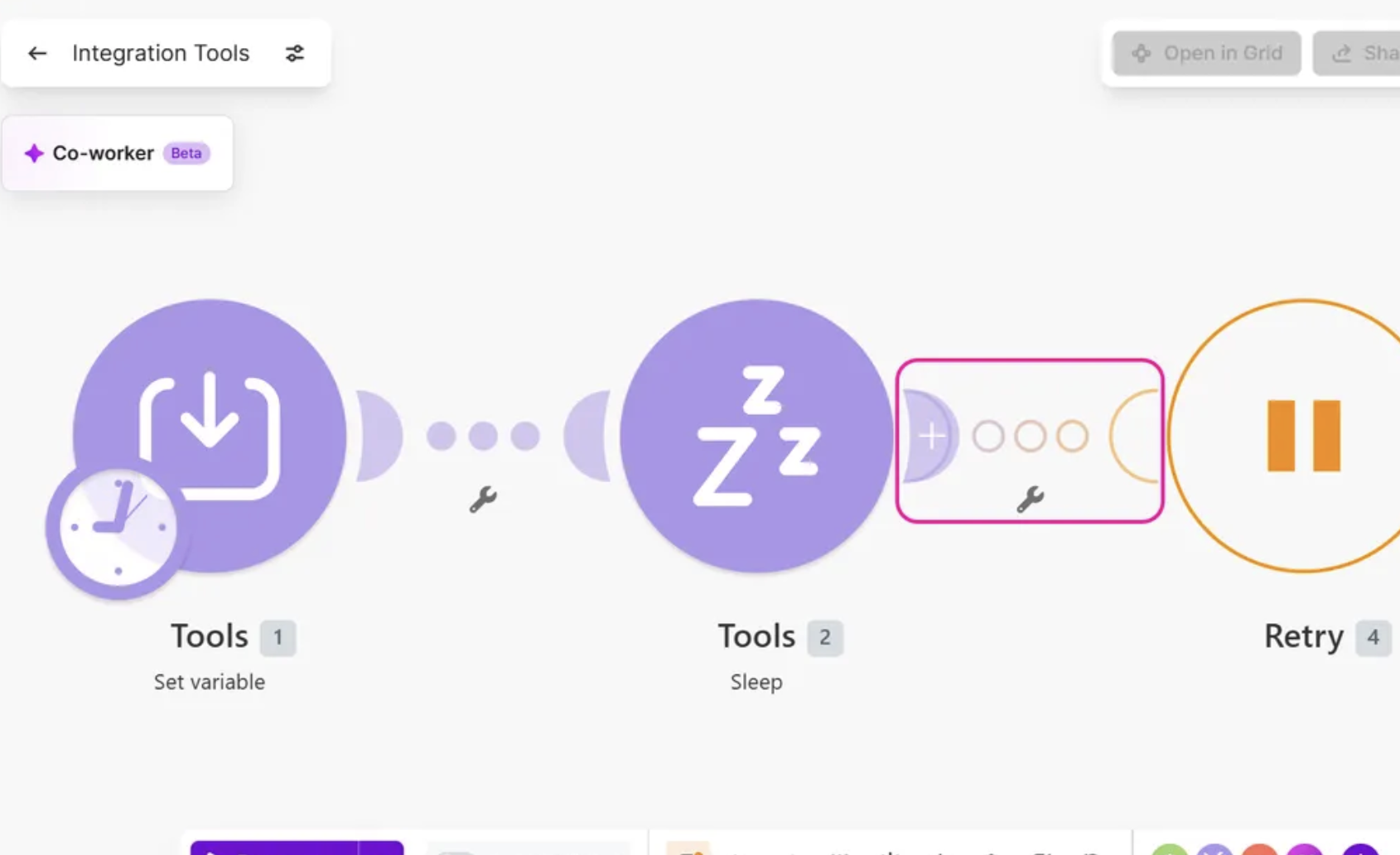
I use a very short decision rule. If the same request should work again in a few minutes, retry it. If the data needs a different treatment, route it somewhere else. If the problem needs a person, stop the bundle and keep it available for recovery. If the action has to be undone to protect data integrity, use rollback only where the connected modules support transactions. Make notes that Rollback can revert changes made by modules that support transactions, while actions from modules without transaction support cannot be undone by Rollback.
That rule saves me from adding complicated logic where it is not needed. It also makes the workflow easier to explain to someone else. A person looking at the route can understand why the data is going to Retry, Break, Resume, Commit, or Rollback.
Keep Bad Data Out Before It Hits the Module
I use filters as the first line for predictable data problems. Say a CRM module needs an email address. I put a filter before the CRM module and check that the email is not empty. If the workflow expects an order total above zero, I check that before the payment or accounting step. The filter prevents a known bad value from reaching a module that will reject it.
This is cleaner than throwing every data problem into an error handler. Filters are for conditions I already understand. Error handlers are for problems that happen after the module tries to do its job. Make also recommends this kind of split when dealing with missing or invalid data.
My usual layout looks like this:
Trigger
  ↓
Check required fields
  ↓
Main action
  ↓
Next step

Bad input → Review path
API problem → Retry path
Unexpected failure → Store + alert
Once this separation is in place, the automation becomes much easier to debug.
How I Use Retry
Retry is for failures that have a good chance of disappearing on their own. I use it around API calls, database writes and other external actions that can fail for a short period.
Right-click the module and add an error handler. Choose Retry. Set the retry behavior for the delay and number of attempts that fit the service you are calling. I keep the delay long enough to give the external service time to recover. For a fast API, a short delay can work. For a service that is rate-limiting requests, a longer delay is safer.
Make can also retry supported incomplete executions automatically. Its current documentation describes retries with increasing intervals for some errors such as rate limits, which means you do not always need a long chain of Sleep modules to solve a temporary outage.
One mistake I avoid is using Retry for a mapping error. If a field is missing because my mapping is wrong, ten retries just give me the same mistake ten times. Retry belongs on a temporary failure, not a permanent one.
Break Is the Safety Net
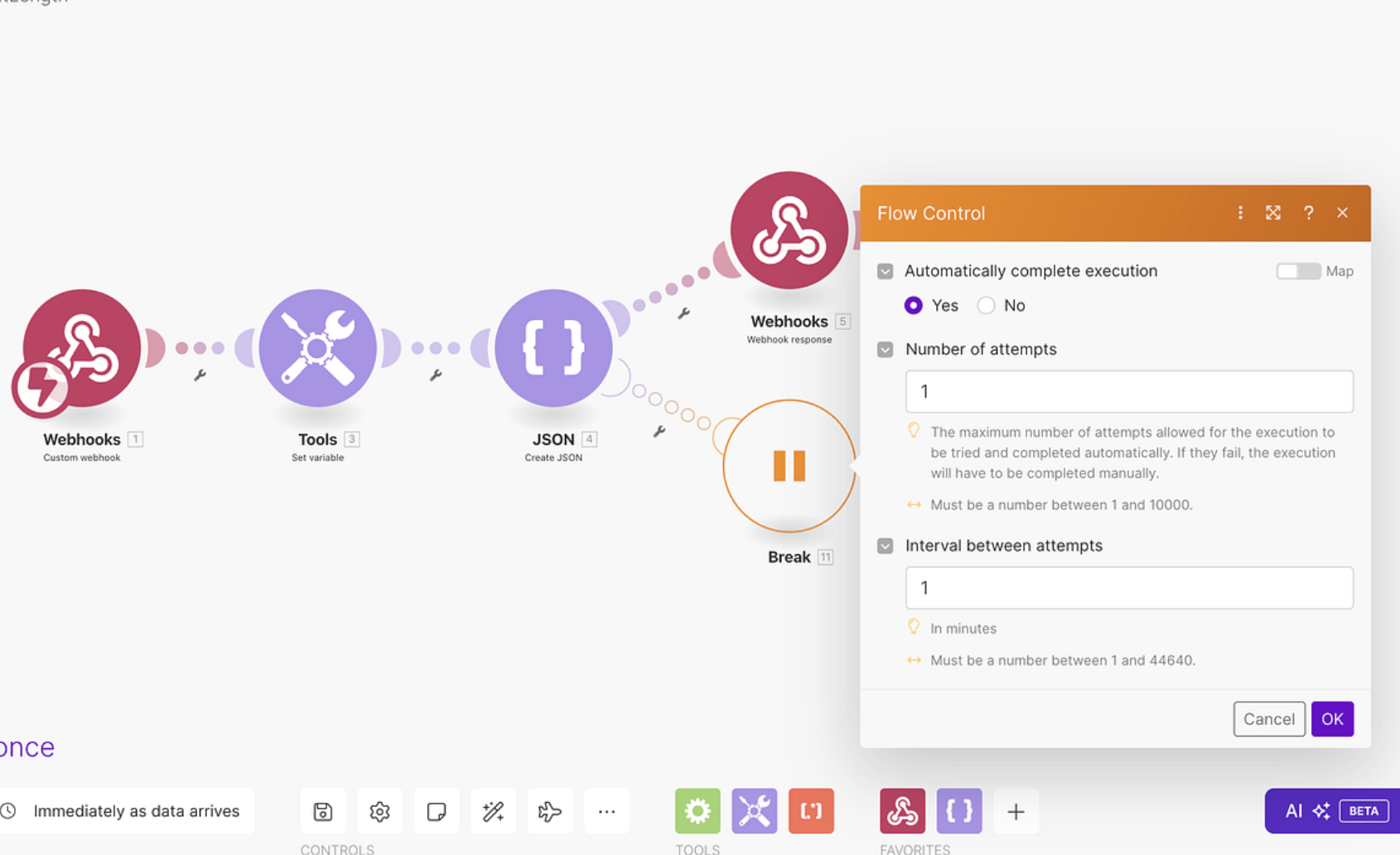
For data I cannot afford to lose, I want a stored copy of the failed bundle. That is where Break and incomplete executions become useful.
Make can store unfinished runs in the Incomplete executions area. From there, failed item can resolved once the issue is fixed. The stored execution keeps the original input and the point where the failure happened, which makes recovery much safer than asking someone to recreate the data by hand.
I use this for things like new leads, paid orders, customer support requests and other records that should not disappear because one external service had a bad day.
There is one detail - Incomplete executions are a storage system, so they have limits. Make also documents cases where a failure does not create an incomplete execution, including errors on the first module and cases where incomplete-execution storage is full.
That means "I turned on incomplete executions" is not the end of the setup. You still need to know how you will notice a growing recovery queue.
Build a Fallback Record for Important Data
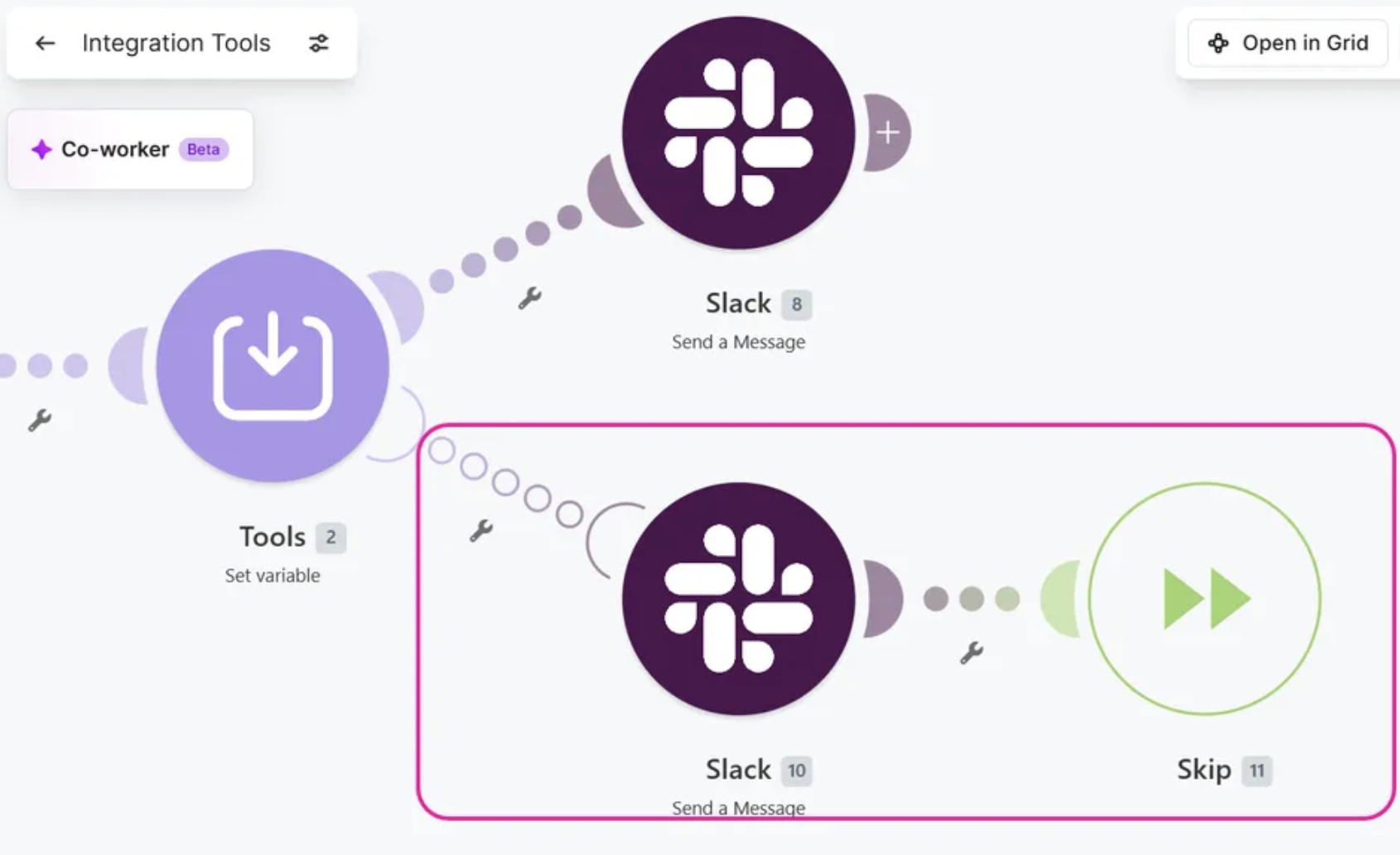
For a main workflow, I like having a second place where failed record is visible. It can be a Google Sheet, database table, or another system your team already checks.
Here is the pattern I use - The workflow receives a lead, validates it, and sends it to the CRM. If the CRM write fails, the error route writes the lead ID, name, email, submission time, error message and source form into a fallback table. After that, the route stores the run for recovery.
The fallback table is not meant to become a second CRM. Its job is to answer one question: "Do we still have the data that failed?" That makes the recovery process visible.
Make's own error-handling documentation shows this same idea with a custom email notification and an incomplete execution so the failed bundle can be resolved later.
The Email Alert I Actually Want
A generic email saying "Make scenario failed" is easy to ignore. I want the alert to tell me what record failed and where.
My subject format is:
[MAKE ERROR] Lead sync failed — Jane Smith
The body should contain the automation name, failed module, error type, error message, record ID or email, time of failure, and a link back to the Make run.
Make already sends email notifications for errors and warnings, and its current notification system can also alert you when Make disables an automation because of repeated errors. The default notifications are useful for broad monitoring. A custom email inside the error route is better when you want the failed record and business context in the message.
For example, if a support ticket fails to reach your helpdesk, I want to see the ticket number in the subject. I do not want to open Make first and hunt through the run history to find out which customer was affected.
One Important Detail: Protect the Error Route Too
I also keep the error route small. Every extra module added there is another place for recovery to fail.
If the main CRM call fails and the error route sends an email, writes to a sheet, calls Slack and then updates a second database, you have built another workflow inside the workflow that already failed. I prefer one useful alert and one reliable record of the failed bundle.
The recovery route should answer two questions and then stop: did we preserve the data, and did someone get told?
When Rollback Makes Sense
Rollback is useful for actions before the failure. Make says Rollback can revert changes made by modules that support transactions, such as MySQL or Data Store. It cant undo actions like sending an email or deleting file.
That limitation changes how i design workflows. If a process creates a database record and then performs an external action that cannot be rolled back, I do not assume Rollback will make the whole system consistent. I design the order of the steps around what can actually be reversed.
This is one place where it is worth checking the module's transaction support before choosing Rollback. Make labels transaction-capable modules with the ACID designation in the relevant documentation.
Resume Has a Different Job
Resume is useful when the failed module can continue with a replacement value. Make describes Resume as a way to supply a substitute value for the failed module and continue the workflow.
I use this kind of thinking for optional information. Imagine a profile lookup that can fail because an optional field is missing. If the downstream step can work with a known fallback value, Resume can keep the rest of the record moving.
I do not use Resume to hide a broken connection or bad business data. The substitute value should be safe and intentional. Otherwise the workflow runs successfully while carrying the wrong data.
Do Not Treat Every Error the Same
Here is a small decision table I keep beside the workflow while building it:
- API timeout or temporary server failure: Retry.
- Rate limit: Retry or let supported incomplete-execution retries handle it.
- Missing required field: Filter or send to review.
- Bad date or number: Fix the mapping or route the record for review.
- Expired connection: Alert the owner and fix the connection.
- Irreplaceable record: Store the failed bundle and alert someone.
- Transaction-supported partial write: Consider Rollback.
- Optional lookup with a safe substitute: Resume.
This small table prevents a lot of bad automation design. The error type tells you what recovery makes sense.
The First Module Has a Special Problem
There is a Make detail I want to point out because it can surprise you during testing. Some errors on the first module do not create an incomplete execution. Make documents this as one of the cases where the normal recovery queue does not get a stored run. A Break handler on the first module can change that behavior.
This matters for webhook-based automations and other workflows where the trigger itself is the point of failure. If the first step can fail and the incoming data matters, I check this before I call the workflow production-ready.
How I Test Error Handling Before Automation
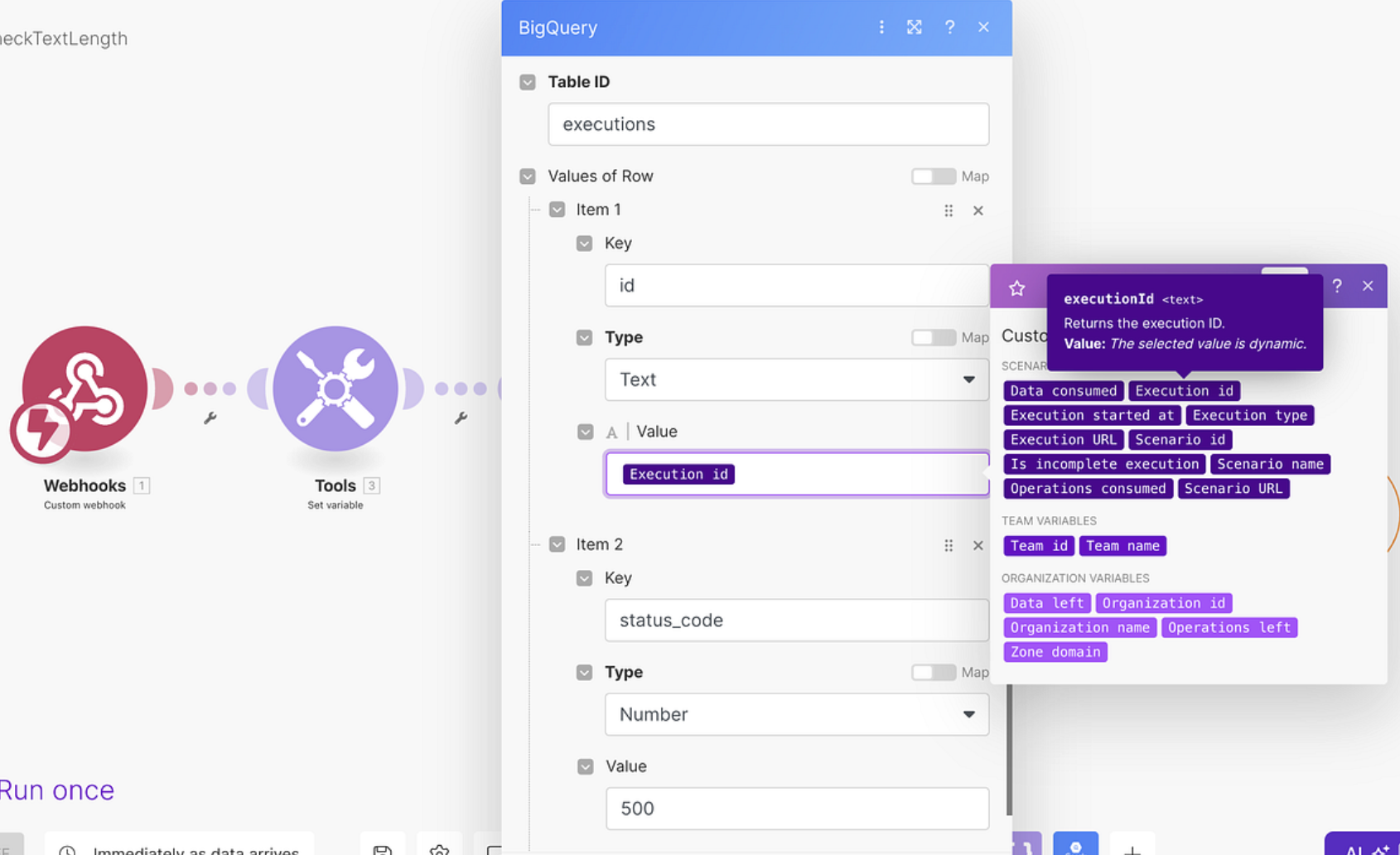
I do not test error handling by waiting for the first real failure. I create failures on purpose.
For a connection test, I use a test connection or invalid credential in a controlled copy of the workflow. I send one test record through it and confirm the correct error path runs. The result I want is easy to see: the main action fails, the alert is sent, the data is preserved, and the recovery item appears in the right place.
Then I test bad data. I remove a required field and run the workflow again. This checks the filter path. After that I test a rate-limit style failure and confirm the retry path behaves differently from a data failure.
I also test the recovery step itself. I fix the underlying problem and retry the stored execution. Make allows incomplete executions to be retried and resolved from the Incomplete executions area, and the retry starts from the failed module using the original input.
That last test is important because an alert is not a recovery system. The recovery process has to work too.
What I Watch in the First Week
After activation, I watch three things.
First, I look at the types of failures. If most failures are missing fields, the problem is in the input process and I fix that upstream. If most are temporary API errors, I tune the retry behavior. If most are authorization errors, I check how connections are owned and maintained.
Second, I watch the incomplete-execution queue. A growing queue is a sign that the automation is producing work faster than the recovery process. Make has status information like unresolved, pending, in progress and resolved... these helps to track that queue.
Third, I read the actual error messages. I do not just count failed runs. Ten failures with the same mapping error are one design problem repeated ten times.
A Setup I Use as a Starting Point
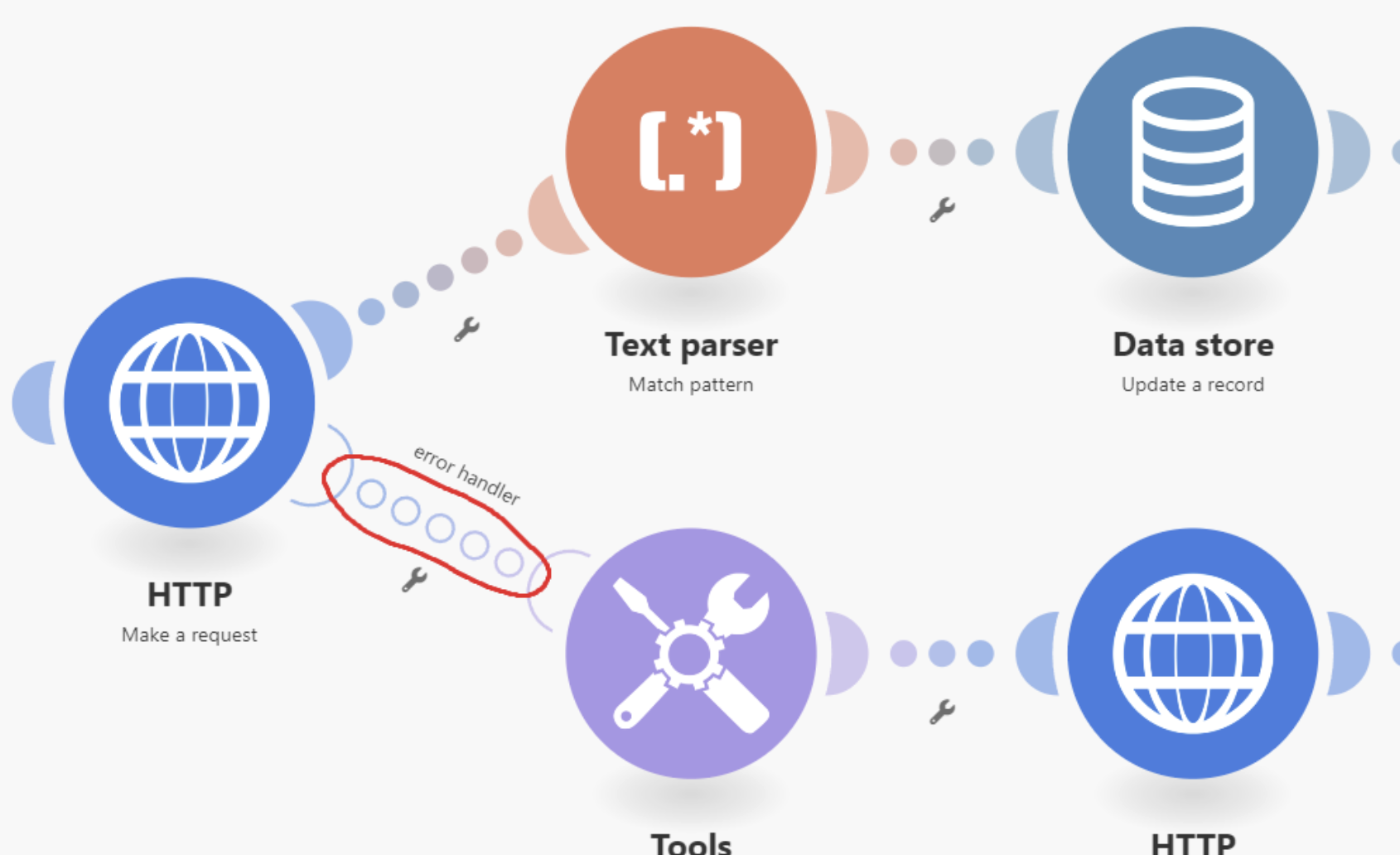
For an customer or business data automation, my baseline looks like this:
- Turn on incomplete-execution storage.
- Use filters before modules that need required fields.
- Use Retry for temporary external-service failures.
- Use Break or Retry-based recovery for records that cannot be lost.
- Add one useful alert with the failed record and error details.
- Use a fallback table for high-value records when missing one run would cause a real business problem.
- Use Rollback only when the modules involved support the transaction you need.
- Test the recovery path before the automation handles real data.
I keep this setup small. Error handling becomes hard to trust when the recovery logic is larger than main workflow.
One Last Thing About Alerts
Do not send an email for every minor event. The alert is useful because something needs attention. If the inbox gets twenty messages for the same repeating error, people start ignoring them.
Make already handles repeated error notifications with messages followed by digest behavior for continued warnings and errors. I use that as the general alert layer and reserve custom emails for failures that need record-level context.
What Good Error Handling Looks Like
I know an automation is ready when I can answer four questions without guessing. Where did the record fail? Do I still have the original data? Does the system have a clear way to try again or route the record for review? Did the right person get told?
That is the standard I use for Make workflows now. Losing a customer record, creating partial data, or letting a failure sit unnoticed is the problem. Make gives you Retry, Break, Resume, Commit, Rollback, filters to handle that.
Build the main workflow first. Then look at every module and ask what should happen if it fails?. That question will tell you exactly where the error handler belongs.